
Download Godly – AI Context Enhancement Tool for GPT‑3
Overview
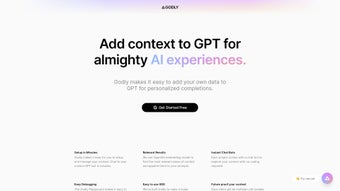
Godly is a cutting‑edge AI platform that transforms the way developers, data scientists, and business teams interact with OpenAI’s GPT‑3 and GPT‑4 models. By allowing users to attach personalized context—such as internal documents, knowledge‑base articles, spreadsheets, or even live API data—directly to each prompt, Godly makes the output of large language models far more relevant, accurate, and aligned with specific organizational needs. The core idea behind the tool is simple yet powerful: instead of sending a generic request to the model, you enrich the request with the exact pieces of information that matter most, dramatically reducing hallucinations and irrelevant tangents.
The platform offers a streamlined workflow that covers the entire lifecycle of contextual AI. First, users upload or link their data sources, and Godly automatically generates high‑dimensional embeddings using OpenAI’s own embedding model. These embeddings are indexed in a fast‑retrieval vector store, ready to be matched against incoming prompts.
When a user submits a query through the “Instant Chat Bot” or via the SDK, the engine selects the most relevant snippets, merges them with the original prompt, and forwards the combined text to the language model. The response you receive therefore reflects both the raw power of GPT‑3/4 and the precision of your proprietary knowledge. For non‑technical users, the web‑based UI provides drag‑and‑drop file upload, a visual debugging console, and a real‑time chat interface that instantly shows how different context sets affect results.
Developers benefit from a lightweight JavaScript/Python SDK that abstracts away the complexity of embedding generation, caching, and error handling. Moreover, Godly’s architecture is model‑agnostic; a single configuration change lets you switch from GPT‑3 to GPT‑4, GPT‑3.5‑Turbo, or any future OpenAI model without rewriting your code or re‑indexing data. Security is baked in from day one.
All uploaded files are encrypted at rest, and the optional on‑premise deployment ensures that sensitive data never leaves your own infrastructure. Automatic update mechanisms keep the embedding engine and SDK current with the latest OpenAI releases, while a robust community forum and extensive documentation help users get up to speed quickly. In essence, Godly acts as the bridge that turns raw GPT‑3 power into a highly customized conversational assistant, research aid, or content generator that respects the unique knowledge you feed it.
Features & Benefits
- Context Append Engine: Attach any dataset, PDF, CSV, or API‑derived knowledge to GPT‑3 prompts in a single line of code, turning raw data into actionable AI insight.
- Instant Chat Bot: Test and iterate on context selections in real time without writing a script, ideal for rapid prototyping and stakeholder demos.
- Easy Debugging Console: Visualize embedding vectors, relevance scores, and fallback logic to troubleshoot mismatches and fine‑tune performance.
- OpenAI Embedding Integration: Leverages the latest embedding model for high‑precision similarity matching, ensuring the most pertinent snippets are used.
- Developer SDK: Minimal‑dependency JavaScript/Python SDK abstracts context retrieval, caching, and error handling for seamless integration.
- Model‑Agnostic Architecture: Switch between GPT‑3, GPT‑4, or future models with a single configuration change, protecting your investment.
- Secure Data Handling: End‑to‑end encryption for uploaded files and optional on‑device storage for compliance‑heavy environments.
- Automatic Updates: One‑click update mechanism keeps the embedding engine, SDK, and UI current with the latest OpenAI releases.
- Scalable Cloud & On‑Premise Options: Choose a managed SaaS instance for quick start‑up or deploy locally for data sovereignty.
- Comprehensive Documentation & Community: Step‑by‑step guides, API reference, video tutorials, and an active Discord community for support.
Why These Features Matter
Each feature of Godly has been designed with a specific benefit in mind. The Context Append Engine eliminates the need for cumbersome prompt engineering by allowing you to programmatically enrich queries with the exact data slices you need, which translates into faster time‑to‑value for AI projects. The Instant Chat Bot gives product managers and marketers a sandbox where they can experiment with different knowledge bases, see immediate results, and iterate without involving a developer each time. The Easy Debugging Console demystifies the often‑opaque decision‑making process of large language models, providing transparency that builds trust and reduces costly guesswork.
Security and compliance are increasingly critical for enterprises adopting AI. Godly’s end‑to‑end encryption and on‑premise deployment options ensure that sensitive intellectual property never leaves your control, meeting GDPR, HIPAA, and other regulatory requirements. Meanwhile, the model‑agnostic design protects you from vendor lock‑in; as OpenAI releases newer, more capable models, you can upgrade with a single configuration change rather than a complete rewrite. The SDK’s minimal dependencies mean you can embed contextual AI into existing pipelines—whether you’re building a chatbot, an automated report generator, or a knowledge‑driven search engine—without bloating your stack.
Finally, the combination of automatic updates, scalable cloud infrastructure, and a vibrant community means that you spend less time on maintenance and more time on innovation. Whether you’re a solo developer, a growing startup, or a large enterprise, Godly’s feature set scales with you, delivering consistent, high‑quality AI results that are both secure and future‑proof.
Installation, Compatibility & Usage
Godly runs natively on Windows 10/11 (64‑bit), macOS 12+ (both Intel and Apple Silicon), and the most popular Linux distributions such as Ubuntu 20.04+, Debian, and Fedora. The SaaS version works in any modern browser—including Chrome, Edge, Firefox, and Safari—so you can start using the tool instantly from a laptop or desktop without installing anything. For organizations that require on‑premise deployment, the engine can be installed on a physical server or a virtual machine with a minimum of 4 GB RAM, a dual‑core CPU, and 2 GB of free disk space for the vector index. Larger corpora (exceeding 10 GB) benefit from a dedicated GPU (NVIDIA RTX 3060 or higher) to accelerate embedding generation, although the process remains functional on CPU‑only systems.
Step‑by‑Step Installation
- Download the Installer: Visit the official Godly website and click the “Download for Windows / macOS / Linux” button. The installer is digitally signed, ensuring authenticity and integrity.
- Run the Installer: On Windows, double‑click the .exe file and follow the wizard (accept the license agreement, choose an install directory, and allow firewall exceptions). macOS users drag the Godly app into the Applications folder; Linux users run the provided .sh script with sudo privileges.
- Create an Account: Launch Godly and register using an email address or single‑sign‑on options (Google, GitHub). A verification email secures your account.
- Connect Your OpenAI API Key: Navigate to Settings, paste your OpenAI API key, and let Godly validate and encrypt it locally.
- Upload Context Files: Click “Add Context,” then drag‑and‑drop PDFs, plain‑text files, CSVs, or point to a REST endpoint. Godly parses each file, generates embeddings, and stores them in an optimized vector store.
- Test with Instant Chat Bot: Open the “Chat” tab, type a natural‑language prompt, and select the appropriate context collection. The response you receive is a GPT‑3/4 output enriched with the most relevant data snippets.
- Integrate via SDK: For programmatic access, install the SDK:
npm install godly-sdk   // Node.js
pip install godly-sdk   // Python
Example usage:import godly_sdk client = godly_sdk.Client(api_key="YOUR_OPENAI_KEY") response = client.generate( prompt="Summarize the quarterly sales figures", context_id="sales_2023_Q1" ) print(response.text) - Debug & Optimize: Use the “Debug Console” to see which embeddings were selected, their similarity scores, and the raw text snippets influencing the answer. Adjust thresholds or re‑index files as needed.
- Deploy to Production: Enable “Auto‑Scale” in the cloud dashboard, configure webhooks for event‑driven workflows, and monitor usage metrics via the built‑in analytics panel.
The entire process—from downloading the installer to generating your first context‑aware response—typically takes under ten minutes on a standard workstation. This rapid onboarding makes Godly ideal for both quick prototypes and long‑term, enterprise‑grade deployments.
Frequently Asked Questions & Conclusion
Can I use Godly with models other than GPT‑3?
Yes. Godly’s architecture is model‑agnostic. After configuring your API endpoint, you can switch to GPT‑4, GPT‑3.5‑Turbo, or any future OpenAI model without altering your context files or code.
Is my uploaded data stored on Godly’s servers?
When you use the cloud version, data is encrypted at rest and retained only for the duration of your subscription. For on‑premise deployments, all data stays on your own infrastructure, giving you full control.
How does the “Easy Debugging” console help me improve results?
The console displays which embeddings were selected for a given prompt, their similarity scores, and the exact text snippets that influenced the answer. You can adjust similarity thresholds, re‑index files, or manually prioritize certain documents to fine‑tune output relevance.
Do I need programming skills to use Godly?
No. The graphical interface, Instant Chat Bot, and drag‑and‑drop file uploader allow non‑technical users to benefit from contextual AI. Developers, however, can take advantage of the SDK for deeper integration.
What pricing plans are available?
Godly offers a free tier with limited indexing (up to 500 MB) and community support. Paid plans start at $29 / month for 5 GB of indexed data, premium support, and auto‑scaling. Enterprise pricing is custom based on volume and compliance requirements.
Conclusion & Call to Action
Godly bridges the gap between the raw power of OpenAI’s language models and the precise, domain‑specific knowledge your organization relies on. By enabling you to append personalized context to every prompt, it reduces hallucinations, accelerates development cycles, and delivers AI responses that are truly useful for business decision‑making, research, and content creation. The intuitive UI, powerful debugging tools, and lightweight SDK make it accessible to both non‑technical users and seasoned developers, while robust security and flexible deployment options keep your data safe and compliant.
Ready to experience contextual AI? Download Godly now, start a free trial, and watch your GPT‑3/4 prompts become smarter, faster, and perfectly aligned with your own data.
Overall Rating: 4.5 / 5
Pros: Model‑agnostic design, real‑time debugging, strong security, rapid onboarding, active community.
Cons: Requires an OpenAI API key (additional cost), GPU acceleration optional for very large corpora.



.png)



